gg: The commit graph, without the editor.
A small, fast desktop git client built around the commit graph. See every branch at once, then check out, merge, rebase and push from a right-click, with the git you already have. Free and open source.
Opening gg the first time
gg is not notarized by Apple, so macOS stops it the first time you open it. Do one of these once; after that it opens like any other app.
- Finder
- Right-click gg in Applications, choose Open, then Open again. On macOS 15 and later: System Settings → Privacy & Security, then Open Anyway beside the message about gg.
- Terminal
-
xattr -cr /Applications/gg.appRemoves the quarantine flag macOS puts on downloaded apps.
SHA-256 of the download:
What it does today
Everything here is in the current release.
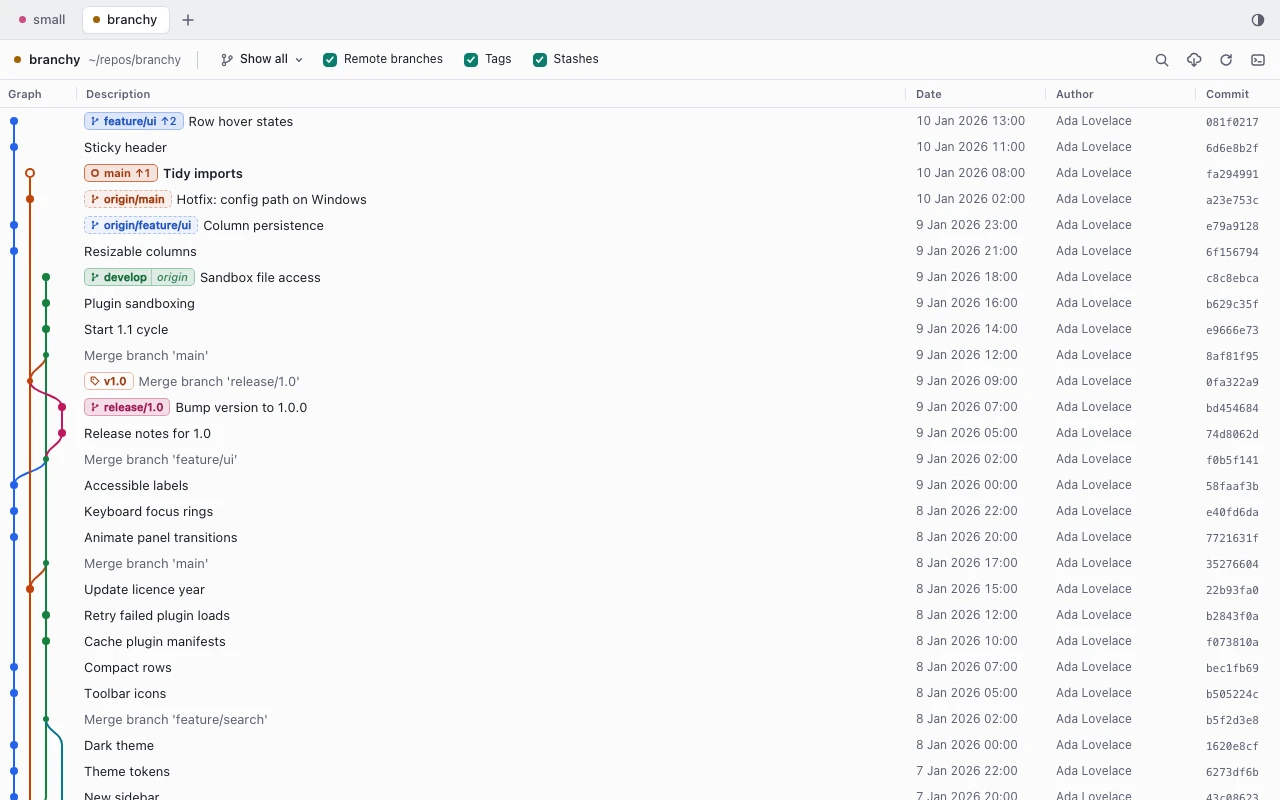
Every branch at a glance
Coloured lanes, with branch, tag and stash labels on the commits they point at. Search subjects, authors and hashes, filter the graph to the branches you care about, and select a commit to see its message and changed files.

Right-click for the rest
Right-click a commit, a branch, a tag or a stash for what you can do with it. An item that cannot run says why.
- checkout
- create branch
- rename
- delete
- merge
- rebase
- cherry-pick
- revert
- reset
- tags
- stashes
- push
- pull
- force push with lease

Check out, merge, push
The everyday routine takes a few clicks: check out staging, merge your branch into it, and push with the button on the merge notice.

Nothing dangerous runs unconfirmed
Force push, hard reset, deleting an unmerged or remote branch, dropping a stash: each one first shows exactly what would be lost, and runs only against the state you were shown. If the branch, the files or the remote changed in the meantime, gg asks again.

Conflicts, one file at a time
When a merge, rebase or cherry-pick stops on conflicts, a banner shows each file's state. Resolve them in your editor, then Continue, Abort, or Skip a commit that has nothing left to apply.

Your git, on the record
gg runs the git you already have, so SSH keys, credential helpers and hooks behave as they do in your terminal. The command log lists every git command it ran, with its output.

Light or dark, always current
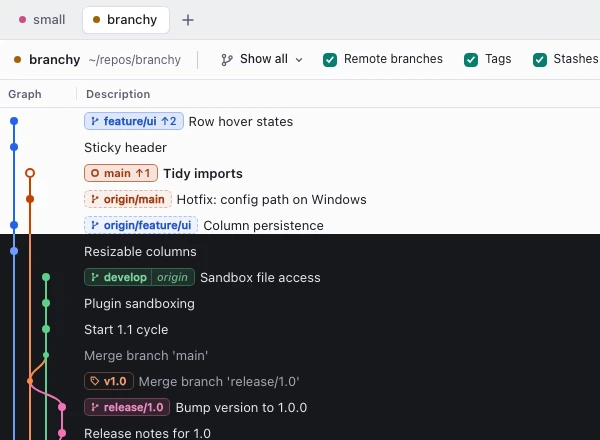
- Light and dark themes
- The same graph in either, tuned so every lane stays readable.
- Live refresh
- Changes made in a terminal or an editor show up on their own.
- Background fetch
- Remote branches are fetched in the background.
Open it from your terminal
Run gg inside any git repository and it opens in the app. Give it a path to open another one.
~/src/api $ gg
~/src/api $ gg path/to/repo
Speed, measured
Release build on an Apple M1 Pro with 16 GB, a 20,000-commit repository, median of five launches.
- From launch to the first rows on screen
- 0.75 s
- CPU while idle
- 0 %
- Memory while idle, the app and its WebKit processes
- ~160 MB
- App size
- 6.6 MB
- From right-click to the menu on screen
- 4 ms
Memory grows while you scroll through the whole history: 30 seconds after jumping through all 20,000 commits it is about 250 MB, which WebKit gives back under memory pressure. All the measurements
Coming next
Not in the app yet.